Flashcard Generator
Print foldable question-and-answer study cards on one A4 page. Type them here, or print a blank sheet to write by hand.
Country Capitals Flashcards
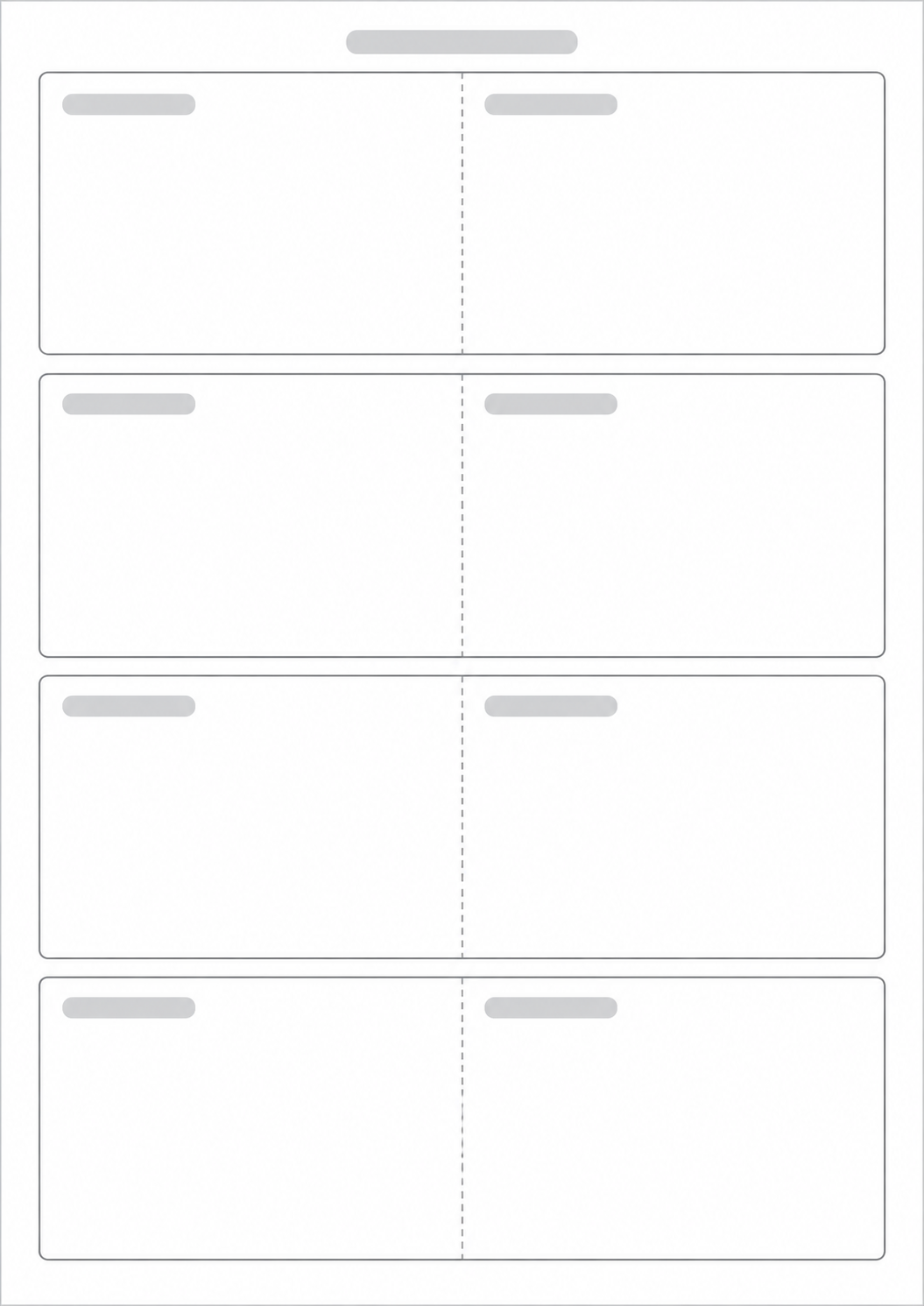
Cut the solid outer lines. Fold on the dashed line with the print facing out. The question is on the front; turn the card like a book page to read the answer on the back.
Made with Flashcard Generator
See printable flashcards created with this tool, then open an example to print it or customize the questions and answers.
What this generator prints
This page prints foldable study cards on one portrait A4 sheet. Each card has the question on the left and the answer on the right, both upright, with a dashed fold down the middle. Choose how many cards to print, then fill them on this page or print a blank sheet to write by hand. Cut the solid outer lines and fold so the print faces out. The page does not invent questions and does not grade what you study.
How to Use
- 1Keep or change the page title, then choose Blank sheet or Fill here and set how many cards to print.
- 2If you chose Fill here, click a card in the preview to type the question and answer.
- 3Check the preview. If a card does not fit, shorten the text, choose a smaller text size, or print fewer cards.
- 4Print or save as PDF. Cut along the solid lines, fold on the dashed line with the print facing out, then turn the card like a book page to read the answer.
Question on the left and answer on the right, both upright, ready to cut and fold
Up to six cards on one A4 page; fewer cards print larger
Fill the cards here, or print a blank sheet to write by hand
One A4 page; the card count never spills onto a second sheet
Related generators
After you print the cards, these pages help you plan study sessions, log the books behind them, or map the topic.

Questions about the Flashcard Generator?
Are my cards saved? Do I need an account?
- No. Nothing you type is stored after you leave the page, and you do not need an account. Print or save as PDF if you want a copy.
Can I print blank cards?
- Yes. Choose Blank sheet. The cut and fold lines still print, so you can write on the cards by hand. Any text you typed stays in the form if you switch back to Fill here.
How do I cut and fold the cards?
- Cut along the solid outer lines. Fold on the dashed vertical line so the printed sides face out. The question is on the front. Turn the card like a book page to read the answer on the back.
What is the difference between Blank sheet and Fill here?
- Blank sheet prints empty cards so you can write by hand. Fill here lets you type the question and answer on the preview before you print. Your typed text stays in the form if you switch back.
What if my text is too long?
- The page does not crop text. If a question or answer does not fit, the form names that card and Print stays off until you shorten the text, choose a smaller text size, or print fewer, larger cards.